In CS2, the bots you practice against can be too easy or too hard, depending on their settings. You can make them smarter and more challenging using console commands in offline or private matches. Adjusting bot difficulty helps you practice realistically and improve your aim, movement, and strategy without relying on real players.
Commands to Increase Bot Difficulty
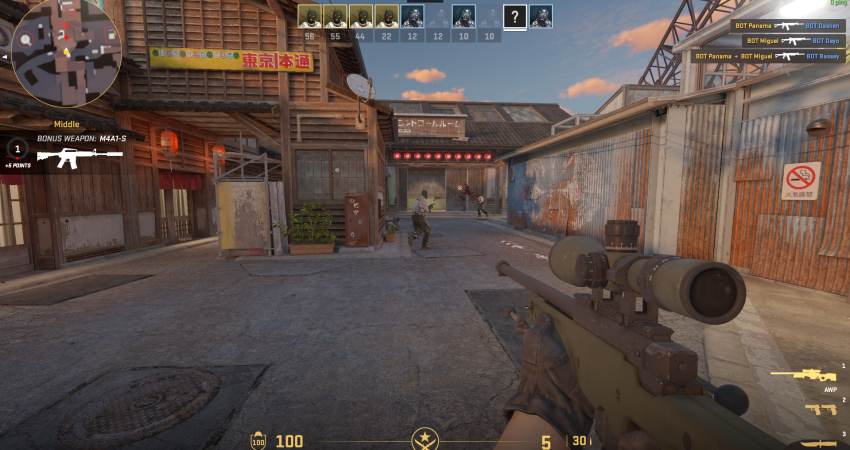
You must first enable the console and enter administrator privileges before attempting to change the bot’s behavior.
1. Start Practice and Enable Cheats
You must set up a private match with bots or an offline practice session where you have administrator privileges.
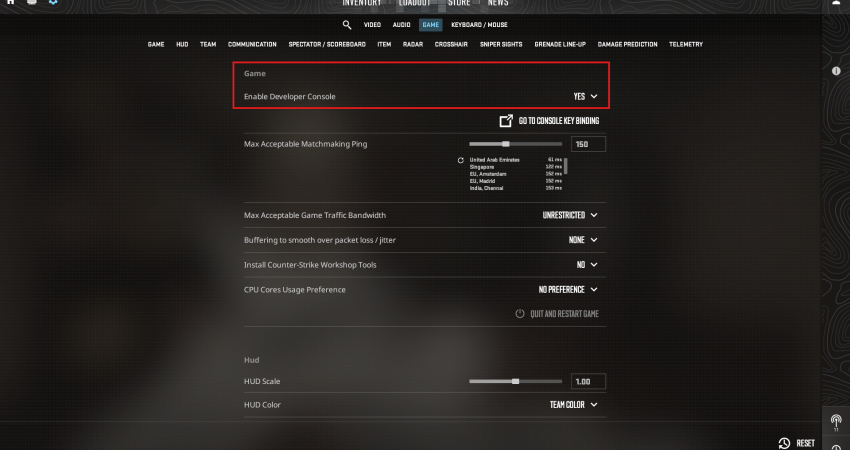
- Enable Console: Ensure the Developer Console (~) is enabled in your game settings.
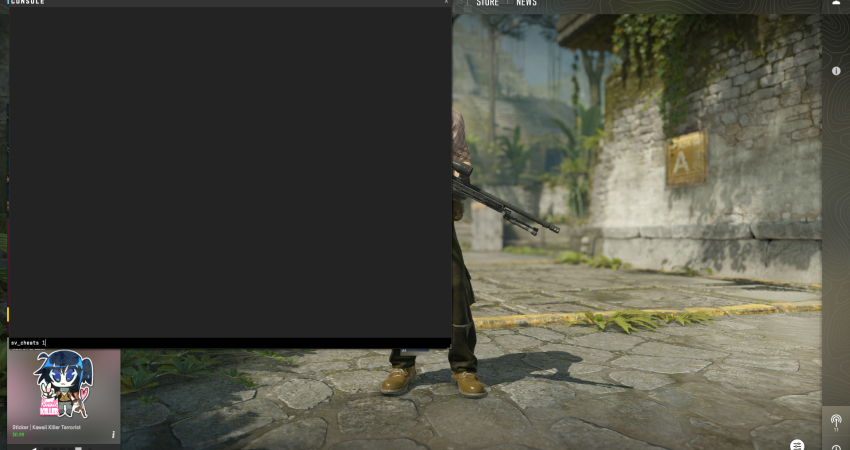
- Enable Cheats: Open the console and type sv_cheats 1 and press Enter. This unlocks all necessary bot manipulation commands.
2. Set the Difficulty Level
The primary command to increase bot skill operates on a simple numerical scale.
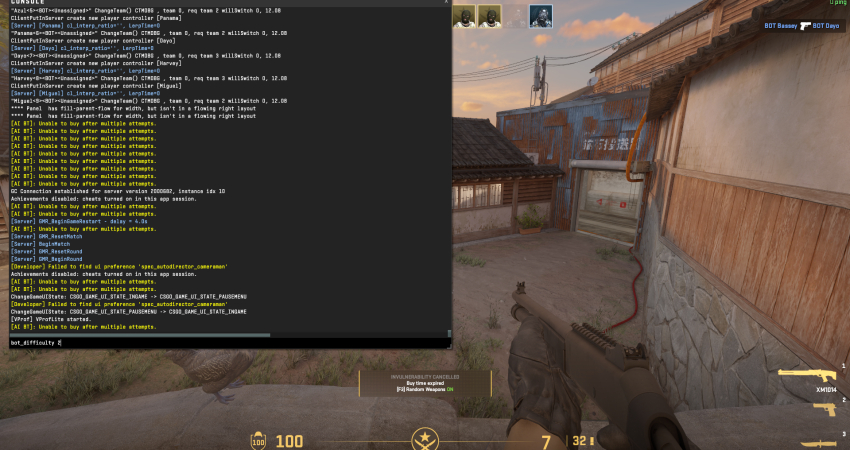
- Set Difficulty: Use the command bot_difficulty 3 and press Enter.
- Levels: The scale ranges from 0 (easy) to 3 (Expert), with 3 being the highest difficulty available.
[RELEVANT: How To Get Better in CS2?]
Conclusion
Making bots harder in CS2 is a great way to turn solo practice into a real challenge. By setting the difficulty to Expert and stopping them from lowering their skill, you can practice like it’s a real match. These commands let you control how the bots play, so every practice round is useful and helps you get better.