Skipping rounds in CS2 replays makes practice much faster and smarter. Instead of watching the whole match, you can jump straight to important rounds, clutch moments, or tricky plays. Using the Demo Playback UI is the easiest way to control and navigate your demos efficiently.
Skipping Rounds in Replays

You can skip rounds in CS2 replay using the Demo UI. Follow the steps below given step:
1. Open the Demo UI
This method gives you the most control, allowing you to skip by round or jump to a specific time.
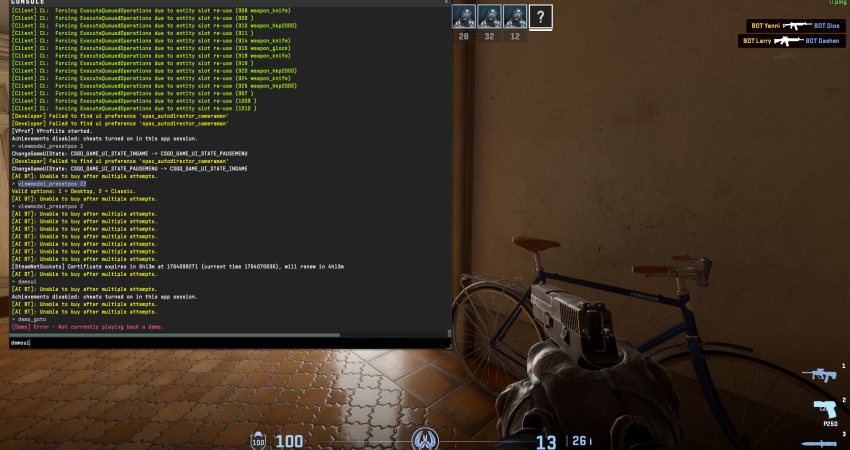
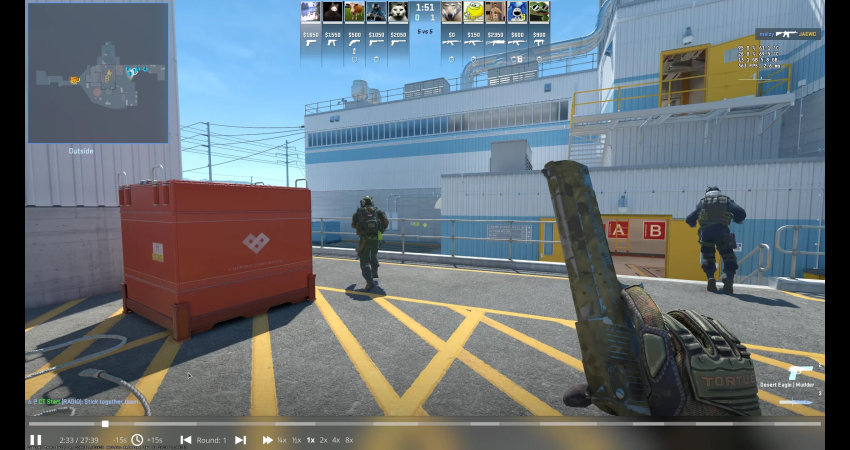
- Access UI: Press the key combination Shift + F2 while the demo is playing to bring up the Demo UI. Alternatively, open the console (~) and type demoui.
- Round Skip Buttons: The interface features buttons (often shaped like arrows with a line) that allow you to move forward or backward by exactly one round.
- Pause/Speed: The Demo UI also lets you pause playback with the spacebar and adjust the speed (e.g., 2x or 4x) to fast-forward through slower sections.
[RELEVANT: How To Get Better in CS2?]
Conclusion
Using the Demo Playback UI or console commands makes skipping rounds simple and precise. This allows you to focus on the parts that matter most, saving time and helping you learn faster from your mistakes or great plays. Skipping rounds is a key tool for smarter CS2 practice.