The Follow Recoil feature in Counter-Strike 2 makes your crosshair move along with your gun’s recoil. This can help new players see the spray pattern and learn how to control their shots better. But many experienced players like to keep their crosshair still because a moving crosshair can be distracting during real matches.
Turning The Follow Recoil On/Off
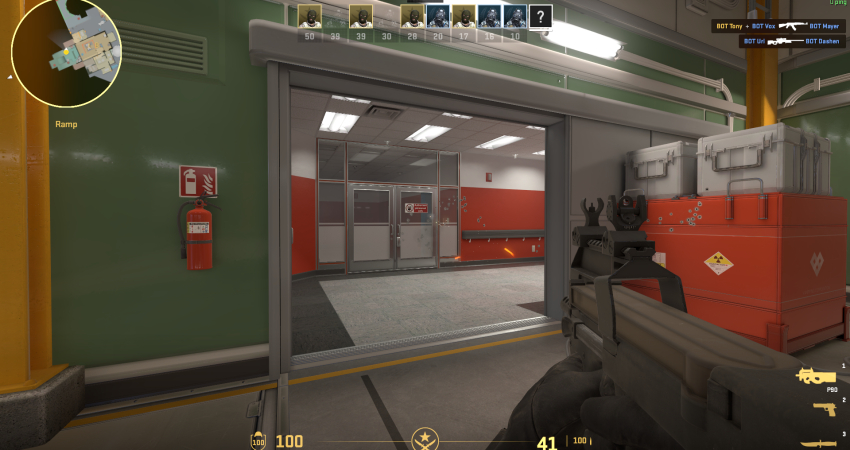
The easiest way to switch this setting is through the in-game menus, but competitive players often prefer a console command bind for instant toggling.
1. Using In-Game Settings
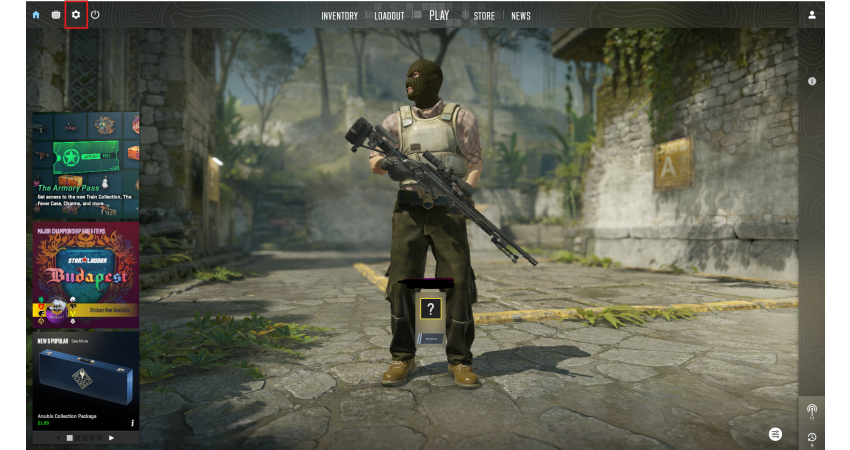
This is the simplest, most straightforward method to change the recoil feature.
- Open Settings: Click the gear icon in the top-left corner of the main menu.
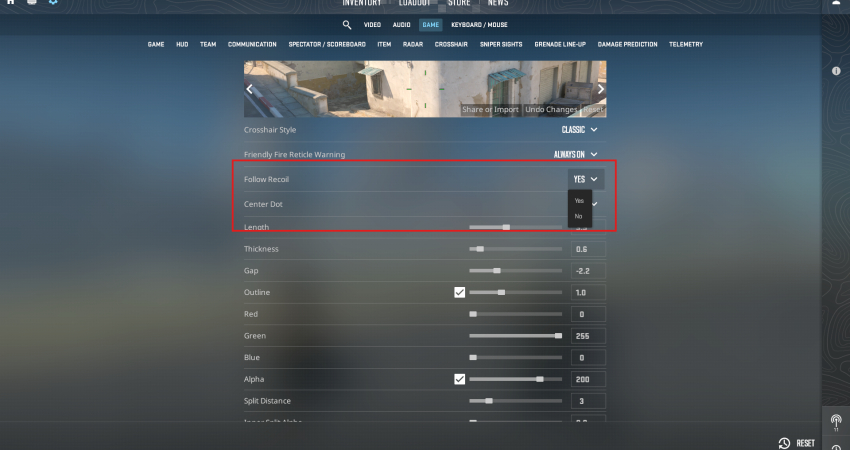
- Navigate: Go to the Game tab, then find the Crosshair section.
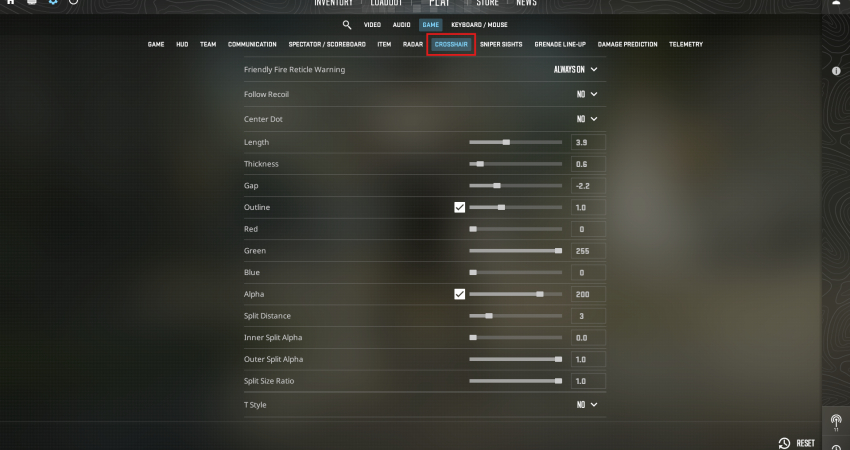
- Toggle Option: Locate the Follow Recoil option within the crosshair menu.
- Select: Use the dropdown menu to select “Yes” to turn it on, or “No” to turn it off. The crosshair preview will update immediately.
2. Using Console Commands and Binds
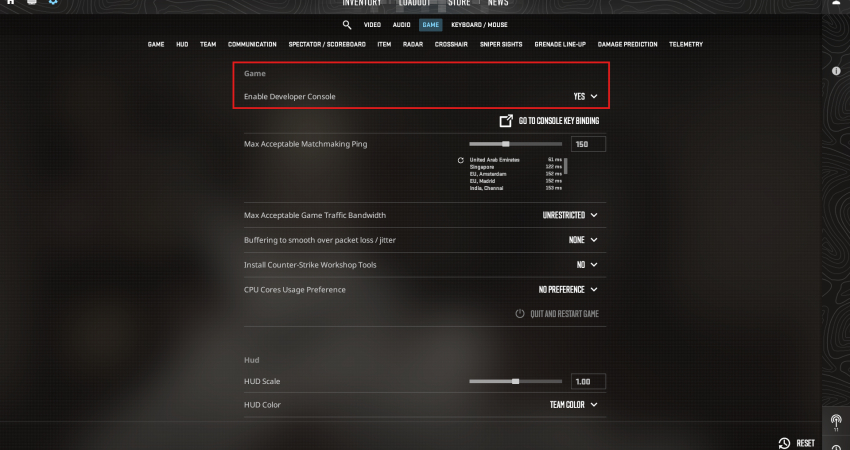
- Enable Console: Ensure the Developer Console is enabled in your Game settings.
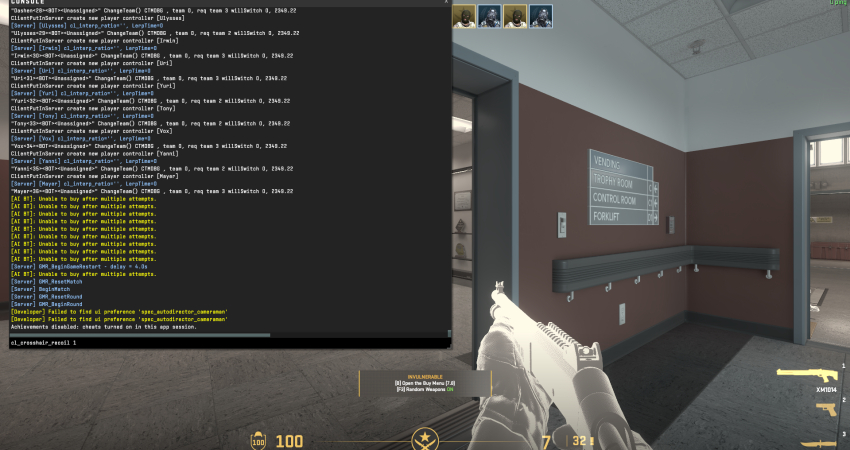
- Turn ON/OFF: Open the console (usually the ~ key) and type the following commands:
To Enable: cl_crosshair_recoil 1
To Disable: cl_crosshair_recoil 0
[RELEVANT: How To Get Better in CS2?]
Conclusion
Follow Recoil is a handy tool to understand how each gun moves when you shoot. It helps you practice and improve your spray control. However, it’s not perfect; it only shows the current spray, not exactly where your bullets will hit. Most pro players use it for practice maps, then turn it off in competitive games to avoid distractions and aim better.